Make Model PLUS
Step-by-step wizard that turns the scan into a based model (solid or hollow), interlocking tubes between arches and an embossed name — ready to print.

Free to view and measure. Pay only for PLUS.
Free desktop application to open STL, PLY and OBJ meshes, with geodesic measurements, wireframe, cutting, grid and PDF reports — at no cost, forever. You only subscribe if you use the PLUS features: model creation, comparison, alignment, mesh editing, booleans and advanced cuts — with a 30-day free trial.
All of this works for free, with no usage limit and no credit card — just download and open your files.
These are the advanced subscription features — all with a 30-day free trial when you sign up inside the app (no credit card). On the toolbar they carry the + badge.
Step-by-step wizard that turns the scan into a based model (solid or hollow), interlocking tubes between arches and an embossed name — ready to print.
Align two scans by 3 points + ICP and see the difference as a color heatmap with clinical metrics (RMS and P90). Ideal for before/after and quality control.
Fixed + floating: reposition one scan over another with a reliability level for the fit and export the file already in the aligned position.
Line cutting, a brush to remove or keep regions and hole filling — clean and prepare the scan before using it.
Unite or subtract solids with each other and with primitives (sphere, cone, cylinder, box) — the result is always watertight, ready for printing.
Position a plane with 2 clicks and open the section view with measurements in mm — just like planning software.
Cut solid models with a plane using a 3D gizmo: pick the side to keep and the cut face comes out closed (subtractive boolean).
Constant updates with new PLUS features, use on up to 2 machines per license and direct WhatsApp support.
Short clips of each PLUS feature, straight from the app.
Toolbar on top, properties panel on the right, 3D area in the center. Done.
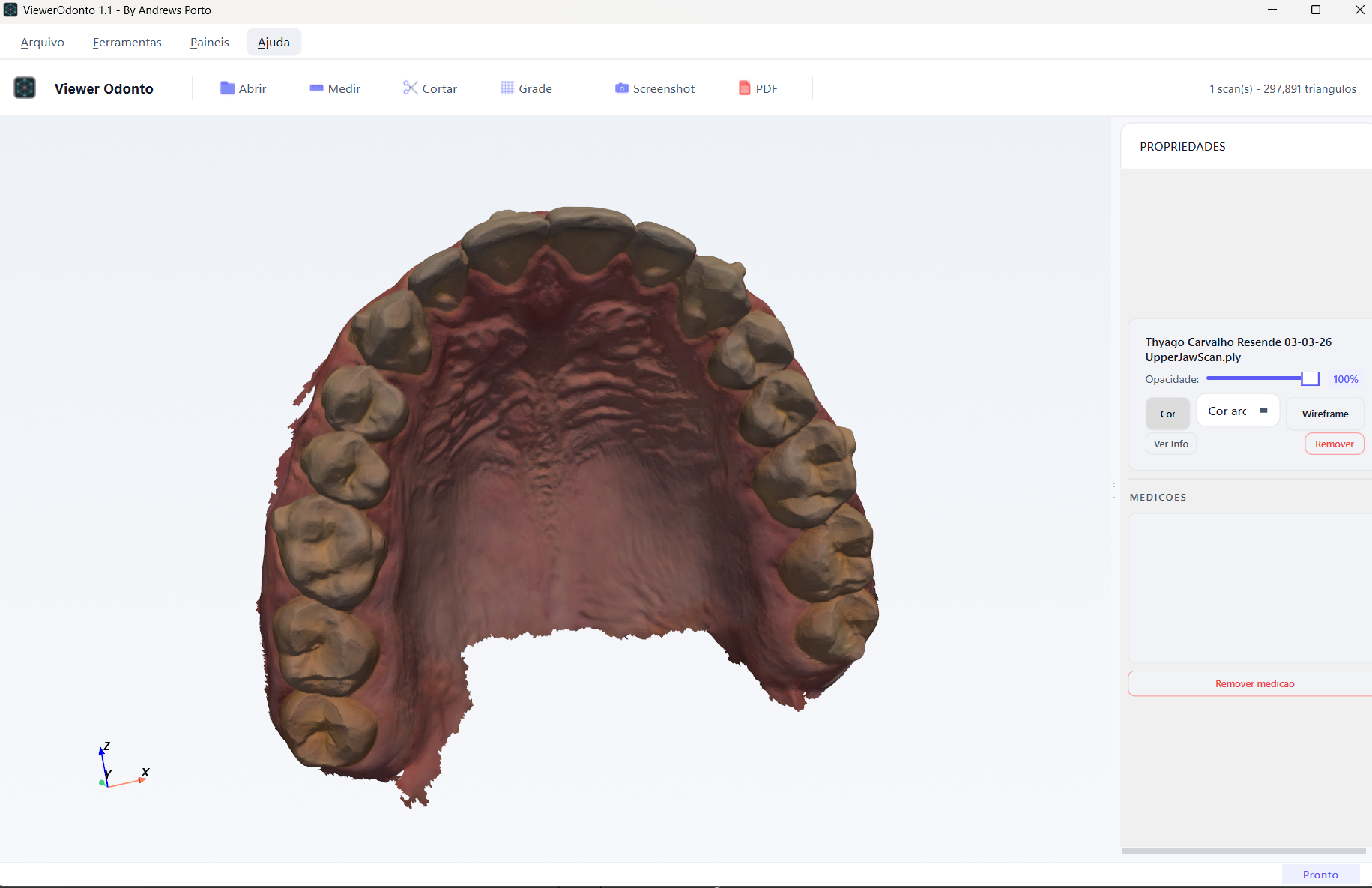
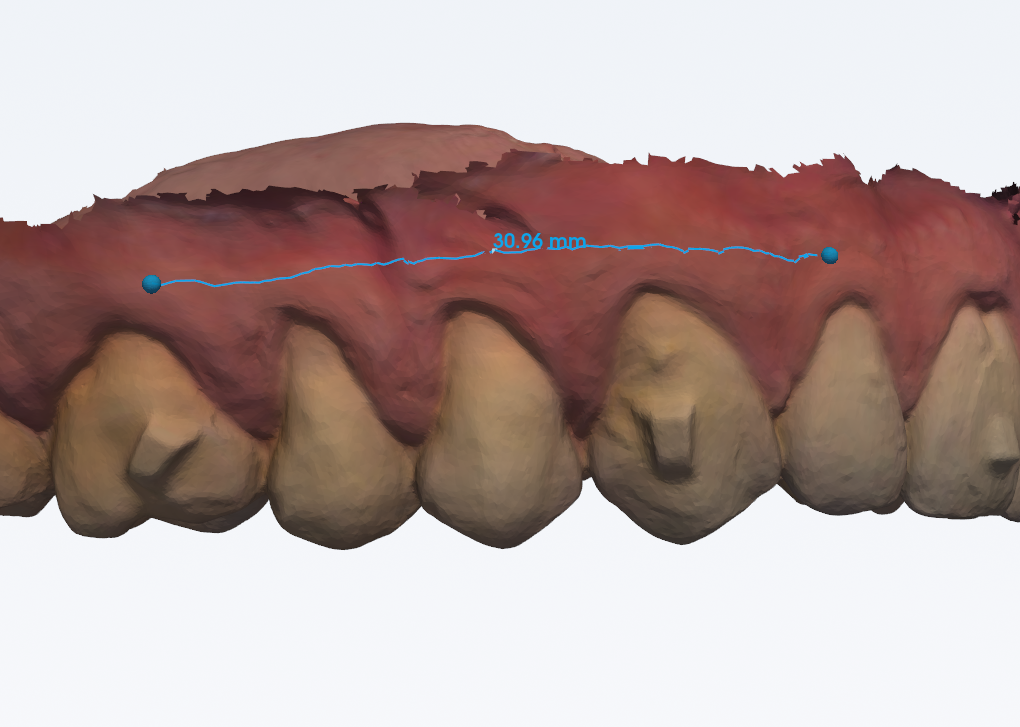
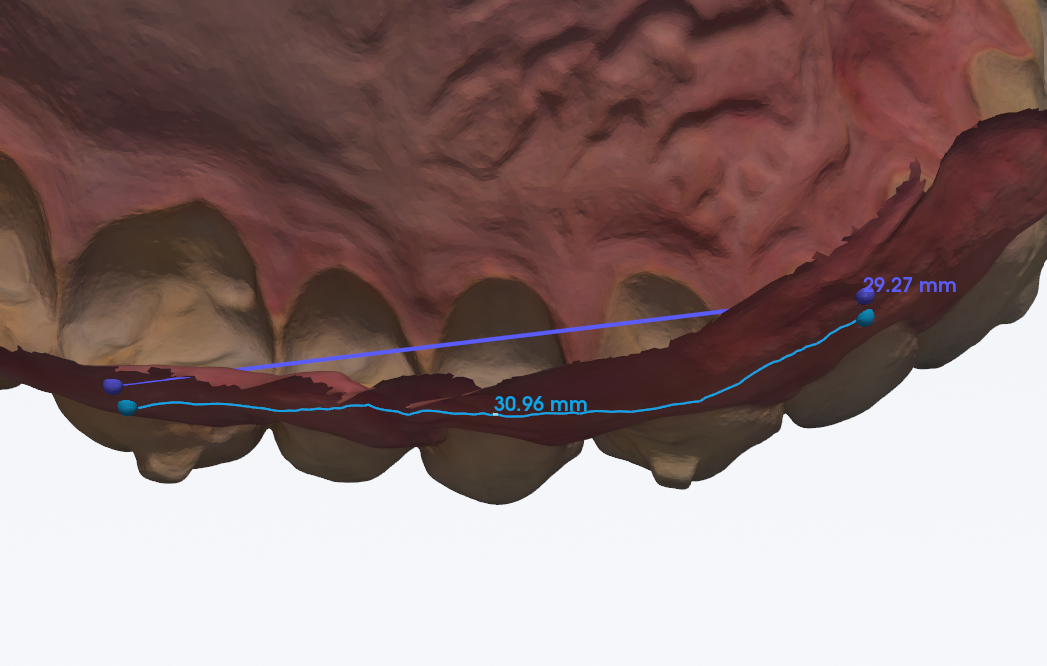
UpperJawScan.ply with the properties panel open.Measuring an arch with a straight line always underestimates the real distance. Geodesic measurement solves that by following the curvature of the mesh.
It is the shortest path between two points along a curved surface. Instead of cutting through the "air" like a ruler, the software computes the path that stays glued to the mesh — it crosses the gum, wraps around the tooth, follows the palate.
It is the correct way to measure:
Linear isn't wrong, it's incomplete. Geodesic gives you the number that matches the clinic.
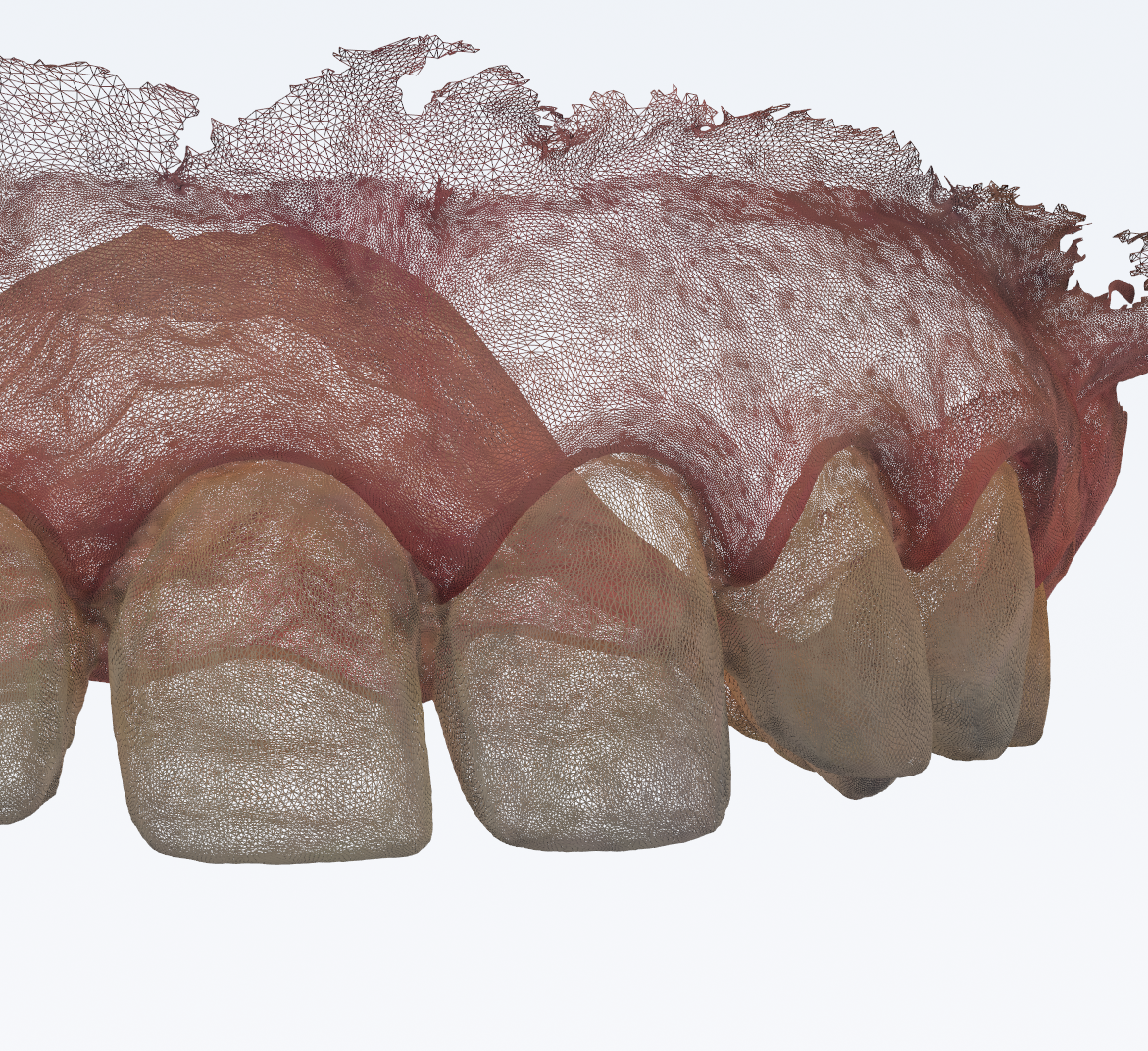
Toggle between rendered surface and wireframe with one click. It's the fastest way to evaluate scan density, low-resolution areas and regions that need rescanning.
Combine it with adjustable opacity and you can see mesh and texture at the same time — without losing any detail.
Sign up inside the app and try every PLUS feature free for 30 days, no credit card. Liked it? Subscribe — payment by card or Pix with automatic activation. Didn't subscribe? The app keeps working for free for viewing and measuring.
Recurring card billing — renews automatically every month. Cancel anytime.
Subscribe monthlyR$ 359.40 every 6 months — card in up to 6 installments or Pix. Save 14%.
Subscribe semiannualR$ 598.80 per year — card in up to 12 installments or Pix. 12 worry-free months.
Subscribe annualSecure payment via InfinitePay · instant automatic activation · e-mail receipt · up to 2 machines per license · hassle-free cancellation
Download and use at will: viewing and measuring are free forever. The first time you click a PLUS feature, the app offers a sign-up with a 30-day free trial — no credit card.
Download AP Viewer PLUS 1.5.2After downloading, run the installer. Compatible with Windows 10 and 11.
Dr. Andrews Porto — dental surgeon, master's degree in digital dentistry from Mandic, CEO of Andrews Planning. I build the tools I use in my own clinical routine.